Adding Assets and Sensors
Adding assets and sensors can be done through the CenterScape User Console, through JSON/CSV imports, or programmatically via the API. In the User Console Selecting the Assets Menu will bring up the a selection of menu options to add, remove, search, and explore asset populations. Most selections in this menu are called asset links. With the exception of “Search Assets” and “Import Assets” which are special functions, asset links are different ways to present assets in the asset grid. Black folder icons are used to group related asset links together. The asset links shown below are default asset links included with CenterScape but the population of asset links may be customized by administrators of CenterScape. They could look different on different CenterScape instances as administrators extend the capabilities of CenterScape.

The “Manage Assets” asset link is the only asset link that cannot be deleted and therefore every CenterScape instance has “Manage Assets” available. The asset link selected does not effect which types of assets can be created or where those assets are assigned. Clicking the “New” button will bring up a selection between using an Asset Template or Asset Type. In this case a sensor is being added so “Temperature – Humidity” is selected. In most cases on a CenterScape instance that does not have its schema customized, the selection of an asset type should be at the leaf node as asset types above the leaf are generally used as a method of organization and not to be used as an asset type.
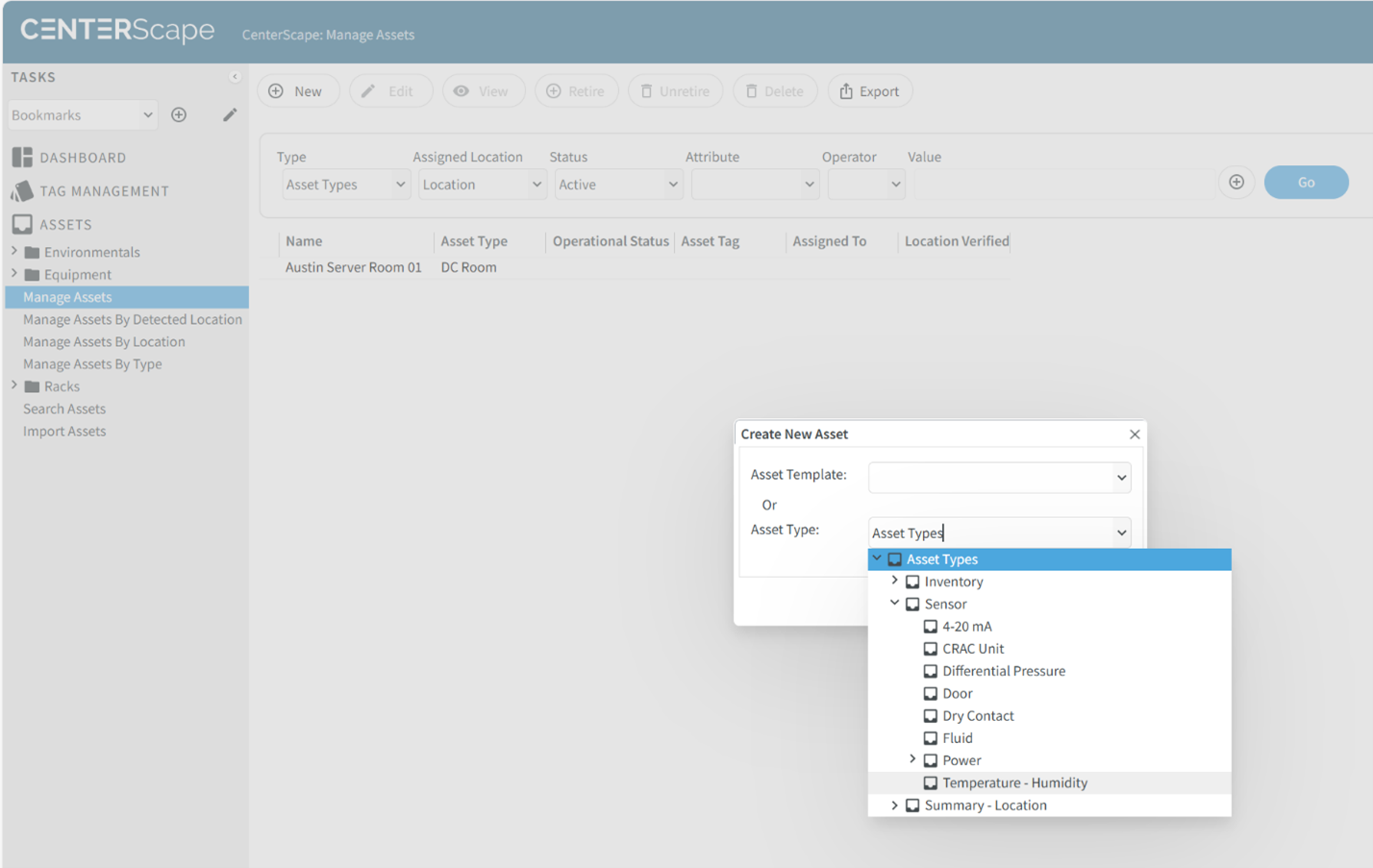
The dialog to enter data for the new asset will be populated based on the type of asset that is selected. The attributes can be added or removed with the schema configuration in the administrative console if needed.
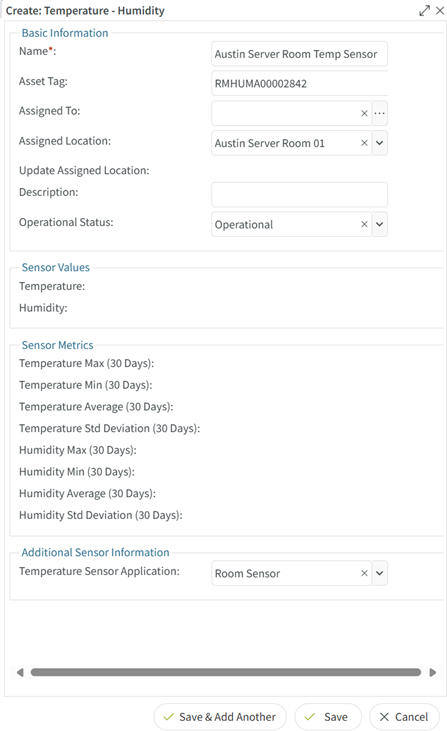
The red asterisk “*" indicates a required field. In this case the only required field for the Temperature – Humidity type is Name, which is a unique field that is needed for any asset type. The Asset Tag field is used for valid RF Code Asset tags. Tags currently being detected by readers are valid but the tag management function may have to be used to make a tag eligible for association with an asset.